
Imagine a bustling retail store where customers fill their baskets with enthusiasm, only to drop them at the checkout counter and walk out. Frustrating, right? This scenario plays out daily in the digital world, impacting WooCommerce store owners significantly. When customers add products to their cart but leave without completing the purchase, it's called cart abandonment – and it's one of the biggest challenges facing e-commerce businesses today.
The good news? You don't have to watch those potential sales vanish into thin air. With effective WooCommerce abandoned cart recovery strategies, you can bring a significant portion of those customers back, converting them into paying buyers. This complete guide for 2025 will equip you with the knowledge, tools, and actionable insights needed to reclaim lost revenue, optimize your sales funnels, and dramatically increase your WooCommerce conversion rate.
We'll dive deep into understanding why customers abandon their carts, explore cutting-edge recovery tactics, introduce the best abandoned cart plugin WooCommerce users need, and provide expert tips to future-proof your recovery efforts. Let's turn those "almost sales" into confirmed orders!
The Alarming Reality of WooCommerce Cart Abandonment in 2025
Cart abandonment isn't just a minor inconvenience; it's a colossal drain on potential revenue. Statistics consistently show that a significant majority of online shoppers leave their carts before purchasing. While exact figures fluctuate, projections for 2025 and 2026 indicate an average global cart abandonment rate hovering between 70% and 80% across all industries. This means for every 100 potential customers, 70 to 80 are walking away without buying.
For WooCommerce store owners, these numbers translate directly into millions – if not billions – in lost sales annually. Understanding the gravity of this issue is the first step toward effective recovery. According to recent market analyses, a typical medium-sized WooCommerce store could be losing upwards of $10,000 to $50,000 monthly due to unrecovered abandoned carts. Imagine what re-capturing even a fraction of that could do for your bottom line.
Key Reasons Why Customers Abandon Their Carts:
To effectively recover lost WooCommerce sales, it's crucial to understand the underlying causes. Common reasons reported by shoppers in 2025 include:
- Unexpected Costs: High shipping fees, taxes, or additional charges revealed late in the checkout process are major deterrents.
- Forced Account Creation: Many customers prefer guest checkout for speed and convenience.
- Complex or Lengthy Checkout: Too many steps, confusing forms, or slow loading times can quickly lead to frustration.
- Payment Security Concerns: Shoppers need reassurance that their financial information is safe.
- Lack of Trust: Missing contact information, unclear return policies, or a non-professional website design can erode confidence.
- Website Performance Issues: Slow sites, bugs, or broken links are immediate turn-offs.
- Limited Payment Options: Not offering preferred payment methods (e.g., Apple Pay, Google Pay, specific local payment gateways) can be a barrier.
- Comparison Shopping: Customers often use the cart as a wishlist while they compare prices or options on other sites.
- Delivery Speed Concerns: Slow delivery estimates or lack of suitable delivery options.
Addressing these pain points proactively is part of a holistic strategy to reduce initial abandonment, as well as a cornerstone for successful WooCommerce abandoned cart recovery. For a deeper dive into these figures and their implications, explore the latest Cart Abandonment Statistics 2025: What You Need to Know.
7 Explosive Strategies to Recover Lost WooCommerce Sales
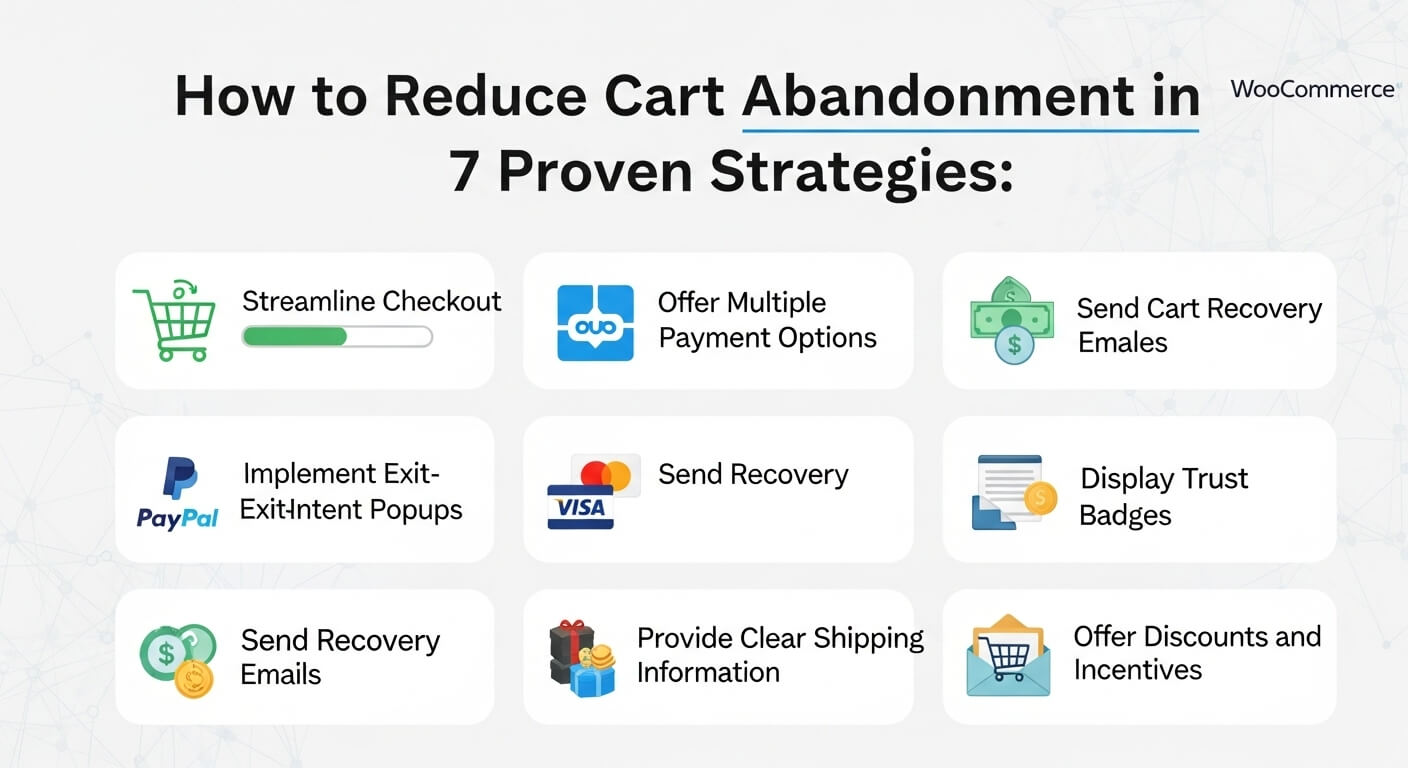
Reclaiming abandoned carts requires a multi-faceted approach. Here are seven powerful strategies that, when implemented correctly, can significantly help you recover lost WooCommerce sales and turn browsers into buyers.
1. Crafting Irresistible Abandoned Cart Emails
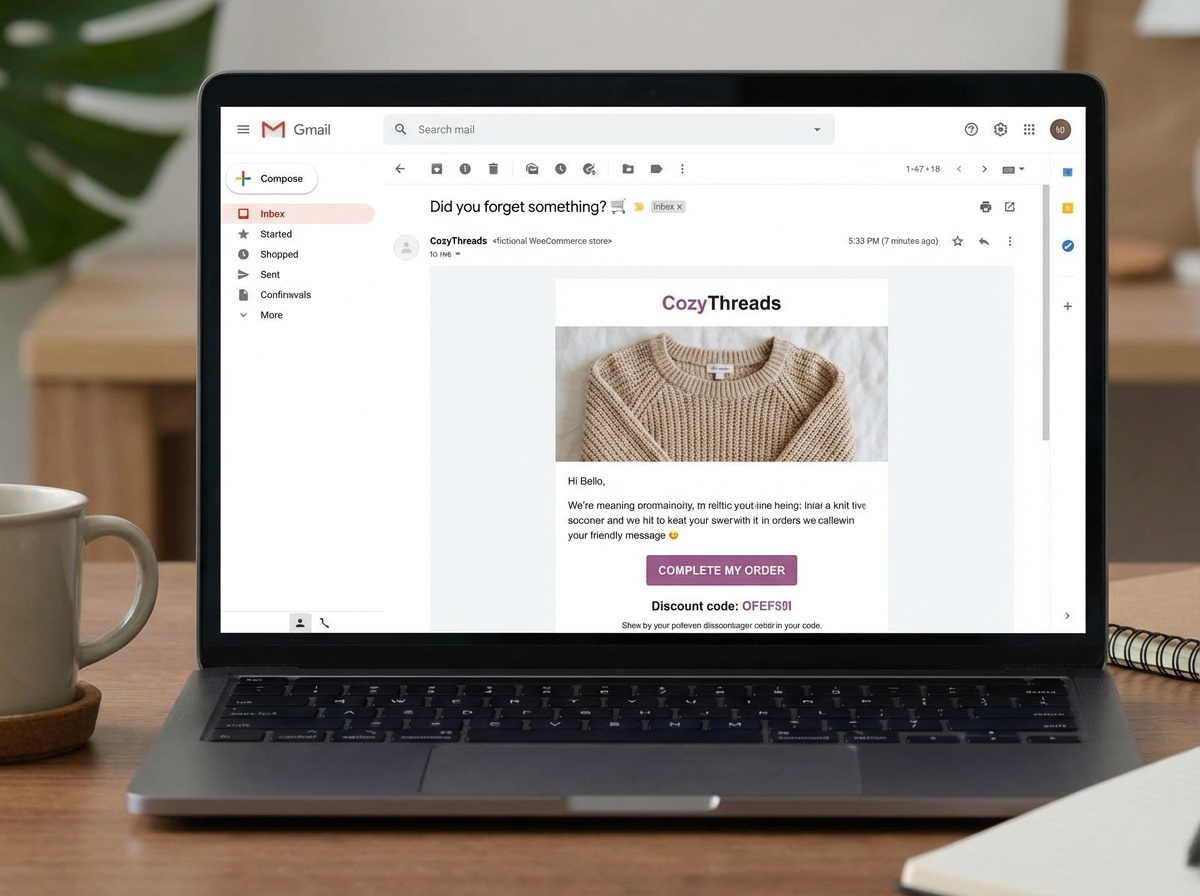
Email remains the cornerstone of any effective WooCommerce abandoned cart recovery strategy. A well-timed, persuasive email sequence can remind customers about their items and gently nudge them back to checkout.
- Timing is Everything: Send the first email within 30-60 minutes of abandonment, a second within 24 hours, and a third 48-72 hours later.
- Personalization: Address the customer by name, mention the specific items they left behind, and use language that resonates with their browsing history.
- Compelling Subject Lines: Use urgency, curiosity, or a direct reminder. Examples: "Still thinking about it?", "Your cart misses you!", "Almost gone: Your items are waiting."
- Clear Call-to-Action (CTA): A prominent button linking directly back to their pre-filled cart is essential.
- Address Objections: Include FAQs, shipping information, or a link to customer support.
- Offer an Incentive (Cautiously): While not always necessary for the first email, a small discount or free shipping in subsequent emails can be highly effective.
For detailed setup instructions and best practices, refer to our guide on WooCommerce Abandoned Cart Emails: Setup & Best Practices.
2. SMS & Push Notifications for Instant Re-engagement
Beyond email, SMS and browser push notifications offer immediate, high-impact channels for recovery, especially for customers who might not check their email frequently or prefer direct communication.
- SMS Reminders: With consent, send a concise, friendly text message with a direct link to their cart. SMS boasts incredibly high open rates.
- Browser Push Notifications: For visitors who've opted in, a quick push notification can appear on their desktop or mobile device, reminding them of their cart. This is great for immediate re-engagement without requiring an email address.
- Segmented Messaging: Tailor messages based on cart value or specific product categories.
3. Exit-Intent Popups & On-Site Retargeting
Why wait for a customer to abandon their cart when you can try to stop them before they leave? Exit-intent technology detects when a user is about to leave your site and triggers a popup with a last-ditch offer or reminder.
- Strategic Offers: Present a small discount, free shipping, or a "save your cart" option.
- Urgency & Scarcity: "Don't miss out!" or "Items are selling fast!" can prompt immediate action.
- Gather Feedback: Sometimes, an exit-intent popup can include a short survey to understand why the user is leaving, providing invaluable insights.
These proactive measures are crucial. Learn more about implementing them in our post on Exit-Intent & Checkout Optimization to Stop WooCommerce Cart Abandonment.
4. Personalized Offers & Discounts
Sometimes, a little nudge is all it takes. Offering a discount, free shipping, or a small bonus item can be the deciding factor for an indecisive shopper. However, use incentives strategically to avoid training customers to always expect a discount.
- Tiered Discounts: Offer higher discounts for higher cart values.
- Product-Specific Offers: If a customer abandoned a specific high-margin item, offer a discount just for that product.
- First-Time Buyer Incentives: Entice new customers with a one-time offer to complete their first purchase.
- Conditional Free Shipping: Offer free shipping if their cart reaches a certain value.
5. Optimizing the Checkout Experience
A clunky, slow, or confusing checkout process is a primary culprit for abandonment. Streamlining this critical stage can significantly reduce initial abandonment and support your recovery efforts.
- Guest Checkout: Always offer guest checkout as an option. Forced account creation is a major friction point.
- Progress Bar: Visually show customers how many steps are left in the checkout process.
- Minimize Form Fields: Only ask for essential information. Fewer fields mean faster completion.
- Trust Badges & Security Logos: Display SSL certificates, payment gateway logos, and trust badges prominently.
- Mobile Responsiveness: Ensure your checkout is seamless and easy to navigate on all devices.
- Pre-fill Data: If a customer has shopped before, pre-fill their address and payment details.
Useful Code Snippet: Removing Unnecessary Checkout Fields in WooCommerce
Sometimes, less is more. Removing fields like "Company Name" or "Phone" (if not strictly required for shipping) can simplify your checkout process. Add this to your child theme's `functions.php` file.
/**
* Remove unnecessary fields from WooCommerce checkout
*/
add_filter( 'woocommerce_checkout_fields' , 'geekplugin_custom_override_checkout_fields' );
function geekplugin_custom_override_checkout_fields( $fields ) {
unset($fields['billing']['billing_company']);
unset($fields['billing']['billing_phone']); // Only if not essential
unset($fields['billing']['billing_address_2']); // Can be removed if not commonly used
unset($fields['shipping']['shipping_company']);
unset($fields['shipping']['shipping_address_2']); // Can be removed if not commonly used
// Make 'Order Notes' optional or remove if not used
// $fields['order']['order_comments']['optional'] = true;
// unset($fields['order']['order_comments']);
return $fields;
}
Note: Always back up your site before adding custom code and test thoroughly!
6. Retargeting Ads Across Platforms
Beyond your site and inbox, bring your products back into your customers' line of sight as they browse other websites or social media platforms. Retargeting ads are powerful for WooCommerce abandoned cart recovery.
- Dynamic Product Ads: Showcase the exact products the customer viewed or added to their cart.
- Platform Variety: Utilize Facebook, Instagram, Google Ads, and other relevant platforms where your audience spends time.
- Frequency Capping: Be mindful not to overwhelm users with too many ads.
7. Leveraging Social Proof & Urgency
People are influenced by what others are doing. Incorporating social proof and creating a sense of urgency can be powerful motivators for completing a purchase.
- Customer Reviews & Testimonials: Display glowing reviews near cart items or in recovery emails.
- "X People are Viewing This": Live counters showing product popularity.
- "Limited Stock": Clearly indicate when only a few items are left.
- Countdown Timers: For limited-time offers or when items are reserved for a short period.
Scenario: The Weekend Wanderer's Return
Sarah adds a designer handbag to her WooCommerce cart on Friday afternoon but gets distracted by weekend plans. She closes the browser without purchasing. A well-executed recovery strategy kicks in:
- 60 mins later: Sarah receives an email from "ChicBags Boutique" titled "Oops! Did you forget something fabulous?". It features a photo of the exact handbag and a direct link to her cart.
- Saturday morning: A browser push notification pops up: "Your ChicBags cart is waiting! Limited stock on the [Handbag Name]."
- Sunday evening: A final email arrives, "Last Chance: Your ChicBags are calling! Use code 'WEEKEND10' for 10% off if you complete your order in the next 24 hours."
Intrigued by the discount and the reminder, Sarah clicks the link, applies the code, and completes her purchase. ChicBags Boutique successfully recovered a sale that would have otherwise been lost, thanks to a multi-channel, timed approach.
Your WooCommerce Cart Recovery Checklist
- Implement a multi-channel recovery sequence (email, SMS, push).
- Personalize all recovery messages with specific cart items.
- Use clear, benefit-driven calls-to-action that link directly to the cart.
- Optimize your checkout process for speed and simplicity.
- Strategically deploy exit-intent popups with incentives.
- Leverage retargeting ads to keep your products top-of-mind.
- Regularly test and refine your recovery messages and offers.
- Ensure compliance with privacy regulations (GDPR, CCPA) for all communication channels.
Stop Losing Sales to Abandoned Carts Forever!
Ready to automatically recover lost revenue and boost your store's profitability? Our powerful plugin makes it easy.
Choosing the Best Abandoned Cart Plugin WooCommerce Needs for 2025
Implementing all these strategies manually can be a daunting task. This is where a dedicated abandoned cart plugin WooCommerce users can rely on becomes indispensable. These tools automate the recovery process, saving you time and ensuring no abandoned cart slips through the cracks.
Essential Features to Look For in 2025:
When selecting an abandoned cart plugin WooCommerce store owners should prioritize, consider these critical features:
- Automated Email & SMS Sequences: The ability to set up timed, multi-stage recovery campaigns.
- Cart Content Tracking: Accurately capturing cart contents even for guest users or early abandonment.
- Personalization: Dynamic tags to insert customer names, product details, and custom offers.
- Coupon Generation & Application: Automatic creation and application of unique discount codes.
- Performance Analytics & Reporting: Dashboards to track recovered revenue, open rates, click-through rates, and conversion rates.
- Segmentation: Ability to target specific customer groups based on cart value, product type, or abandonment trigger.
- Exit-Intent & On-Site Messaging: Integrated tools to prevent abandonment before it happens.
- GDPR & CCPA Compliance: Ensuring all data handling and communication respects privacy regulations.
- Integration with Other Tools: Compatibility with CRM, marketing automation, or payment gateways.
Comparison Table: Top WooCommerce Abandoned Cart Recovery Plugins (2025)
To help you make an informed decision and truly increase WooCommerce conversion rate, here's a comparison of leading plugins:
| Feature | ⭐ Editor’s Choice: Cart Abandonment Recovery | Competitor Plugin A | Competitor Plugin B |
|---|---|---|---|
| Automated Email Sequences | ✅ Advanced, Multi-stage | ✅ Basic, 3-stage | ✅ Flexible |
| SMS/Push Notifications | ✅ Integrated (SMS, Push) | ❌ (Add-on required) | ✅ (Push only) |
| Guest Cart Tracking | ✅ Industry-leading accuracy | ✅ Good | ✅ Fair |
| Dynamic Coupon Generation | ✅ Automated & Customizable | ✅ Limited options | ✅ Yes |
| Exit-Intent Popups | ✅ Built-in & Customizable | ❌ | ✅ Basic |
| Reporting & Analytics | ✅ Comprehensive Dashboard | ✅ Standard | ✅ Good |
| Pricing Model | Subscription (Tiered by features/recoveries) | Per-recovery + Subscription | Subscription (User-based) |
| Support | ⭐ Premium 24/7 | Standard business hours | Email only |
| Unique Selling Proposition | All-in-one powerful solution for complete WooCommerce abandoned cart recovery, focusing on maximizing revenue per recovery. | Budget-friendly for basic needs. | Good for simple email campaigns. |
While there are several options available, an all-in-one solution like Geekplugin's Cart Abandonment Recovery provides robust features, proactive tools, and deep analytics to ensure you not only recover carts but also understand the nuances of your recovery efforts. It's designed to be the best abandoned cart plugin WooCommerce merchants can leverage for sustained growth.
For a more extensive analysis of available tools, you can review our detailed comparison of the Best WooCommerce Cart Abandonment Plugins for 2025.
Advanced Tactics to Increase WooCommerce Conversion Rate in 2026 and Beyond
As the e-commerce landscape evolves, so too must your WooCommerce abandoned cart recovery strategies. Here are some advanced tactics to stay ahead and continuously increase WooCommerce conversion rate:
AI-Powered Personalization
Beyond basic name and product personalization, AI can analyze vast amounts of data to predict customer behavior and tailor recovery efforts with unprecedented precision. This includes:
- Predictive Discounting: Offering a discount only to customers who are highly likely to convert with it, and at the optimal discount level.
- Dynamic Content: Generating recovery email content, product recommendations, or ad copy that adapts in real-time to customer interactions.
- Behavioral Nudges: Using AI to identify specific behavioral patterns that indicate a higher likelihood of abandonment or recovery, and then triggering specific, highly targeted messages.
A/B Testing Your Recovery Flows
Never assume your current recovery strategy is the best it can be. Continuous A/B testing is vital for optimization:
- Subject Lines: Test different subject lines to improve open rates.
- Email Content & Layout: Experiment with different messaging, imagery, CTA button colors, and layouts.
- Offer vs. No Offer: Test whether including an incentive boosts recovery more than a simple reminder, and at what point.
- Timing & Frequency: Adjust the delays between your recovery messages to find the sweet spot for your audience.
- Channel Effectiveness: Compare the performance of email vs. SMS vs. push notifications for different segments.
Predictive Analytics for Proactive Prevention
The future of recovery isn't just about reacting to abandonment, but preventing it. Predictive analytics can identify customers at high risk of abandonment before they leave the cart. This allows for proactive interventions, such as:
- Pre-emptive Support Chat: Triggering a live chat invitation if a user shows signs of struggle on a product page or during checkout.
- Contextual FAQs: Displaying relevant FAQ answers as a user hovers over a potentially confusing field.
- "Save Your Cart" Options: Offering to email a cart link for later if a user spends too long on a page or visits too many product pages without adding to cart.
Multi-Channel Orchestration
The most effective recovery strategies integrate multiple channels into a seamless, intelligent flow. This means a customer's interaction with an email, for example, might trigger or prevent an SMS, or inform the next retargeting ad they see. The goal is a unified, non-repetitive experience that guides the customer back without overwhelming them.
- Unified Customer Journey: Map out the entire customer journey from product discovery to purchase, including all potential abandonment and recovery points.
- Sequential Messaging: Ensure messages across channels are complementary, not redundant. If a customer clicks an email, don't send an SMS immediately after.
- Attribution Modeling: Understand which channel and touchpoint contributed most to the recovery to optimize your budget and efforts.
Ready to Reclaim Your WooCommerce Sales?
Don't let valuable customers slip away. Our plugin is engineered to meticulously track and recover abandoned carts, boosting your revenue effortlessly.
Frequently Asked Questions About WooCommerce Abandoned Cart Recovery
Q: How quickly should I send the first abandoned cart email?
A: The optimal time for the first email is typically within 30-60 minutes after abandonment. This timeframe is short enough to catch the customer while their interest is still high, but long enough to avoid interrupting an ongoing purchase.
Q: What is a good abandoned cart recovery rate?
A: A good recovery rate varies by industry, but generally, successful recovery campaigns aim for a 10-20% conversion rate on abandoned carts. Some highly optimized campaigns can achieve even higher, up to 30% or more, especially with a multi-channel approach.
Q: Do discounts always work for recovering abandoned carts?
A: While discounts can be very effective, they don't always work and shouldn't be your only strategy. Many customers abandon due to technical issues, complex checkout, or just browsing. Offering a discount too early might train customers to abandon their carts expecting a deal. Use them strategically, perhaps in later emails in a sequence, or for high-value carts.
Q: How can I track my WooCommerce abandoned cart recovery success?
A: Most dedicated WooCommerce abandoned cart plugins provide detailed analytics dashboards showing recovered revenue, conversion rates, email open rates, click-through rates, and more. You can also use Google Analytics to set up goals for abandoned cart recovery, linking back to specific campaigns.
Q: Is it possible to recover carts from guest users who haven't logged in?
A: Yes, many advanced abandoned cart plugins can track guest carts by identifying users via cookies or email inputs during early checkout stages. If a guest user enters their email address and then abandons, the system can use that email for recovery efforts, provided you have explicit consent for marketing communications.
Conclusion: Reclaiming Your Revenue with Smart WooCommerce Abandoned Cart Recovery
WooCommerce abandoned cart recovery is no longer just a best practice; it's an essential component of a successful e-commerce strategy in 2025 and beyond. By understanding the reasons behind abandonment, implementing strategic recovery tactics across multiple channels, and leveraging the power of dedicated plugins, you can transform a significant portion of lost sales into valuable revenue.
The journey involves continuous optimization – from crafting compelling recovery emails and utilizing SMS/push notifications to streamlining your checkout and harnessing advanced AI-driven personalization. Remember, every abandoned cart represents a customer who showed interest; your job is to gently guide them back to complete their purchase.
For WooCommerce store owners seeking to maximize their profitability and significantly increase WooCommerce conversion rate, embracing a robust recovery solution is paramount. Our comprehensive guide has outlined the path forward. Take action today, stop leaving money on the table, and start recovering those valuable lost sales.
For an all-in-one, highly effective solution tailored for WooCommerce, we recommend ⭐ Editor’s Choice: Cart Abandonment Recovery.
Ready to Turn Abandoned Carts into Completed Orders?
Experience the power of automated recovery with Geekplugin. Start your free trial today and watch your revenue grow.